Compatible with Ring cameras and doorbells
Your Ring Cameras, Looking After the Little Things
Lookwell keeps an eye on the everyday: a camera that dropped offline, a package still on the porch at dusk, trash bins not out on pickup night, a garage door left open. When something needs you, one calm push.
14-day free trial, then $3.99 a month, billed through your Ring account. Every feature included. Cancel anytime in the Ring app.
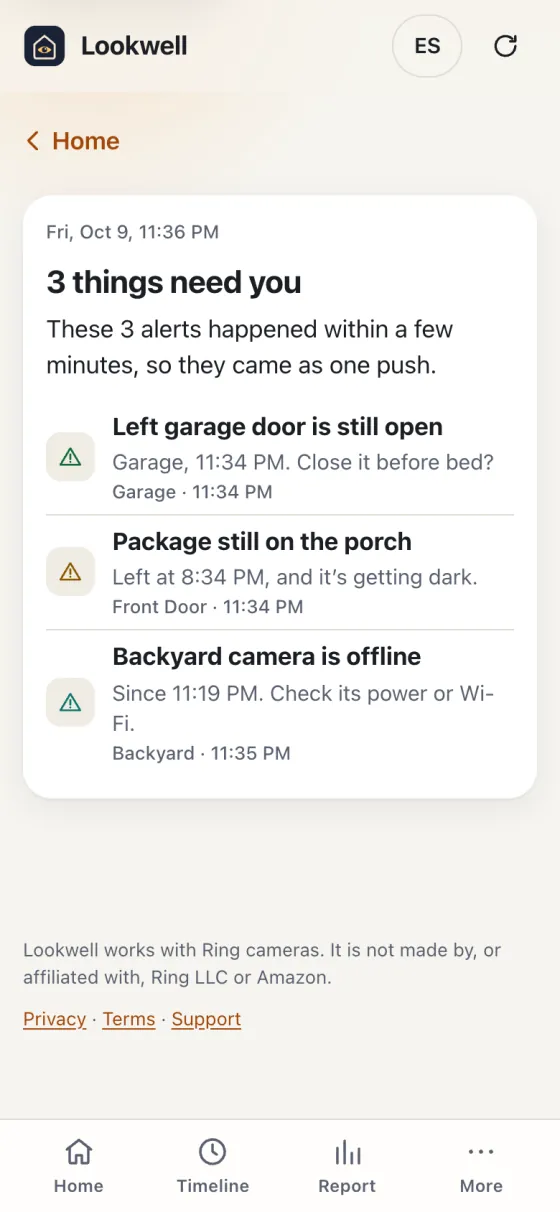
One Calm Push: 3 Things Need You
- No Face Recognition
- No Plate Reading
- You Choose What’s Kept
- Delete Everything Anytime
Features
The Everyday Things, Handled
Every feature is included. Turn on the ones you want, per camera. Picture features need Ring’s Snapshot Capture turned on for that camera.
-
Camera Health
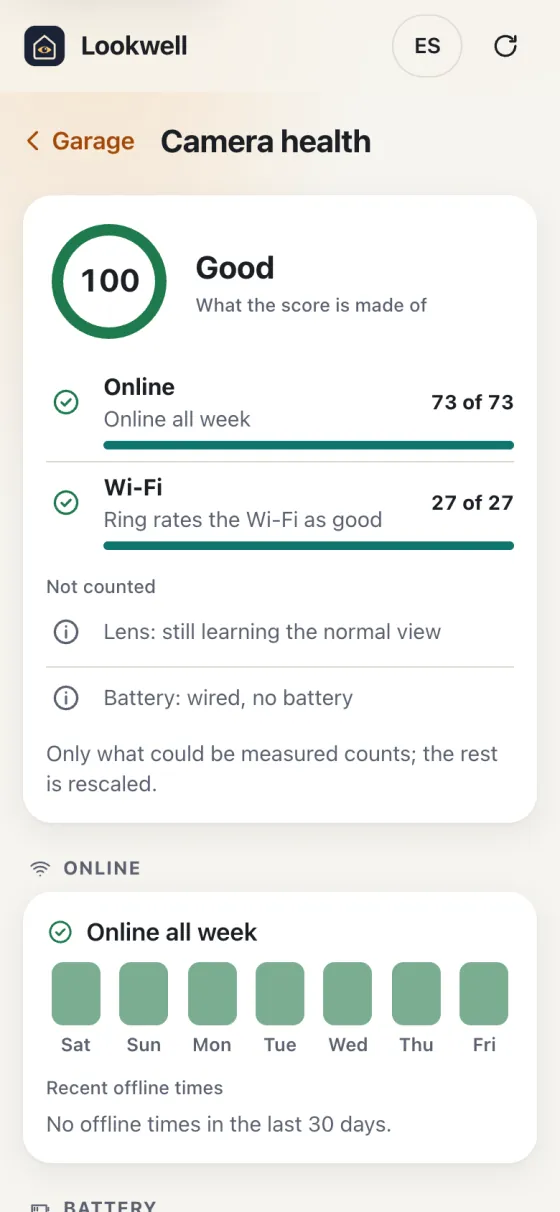
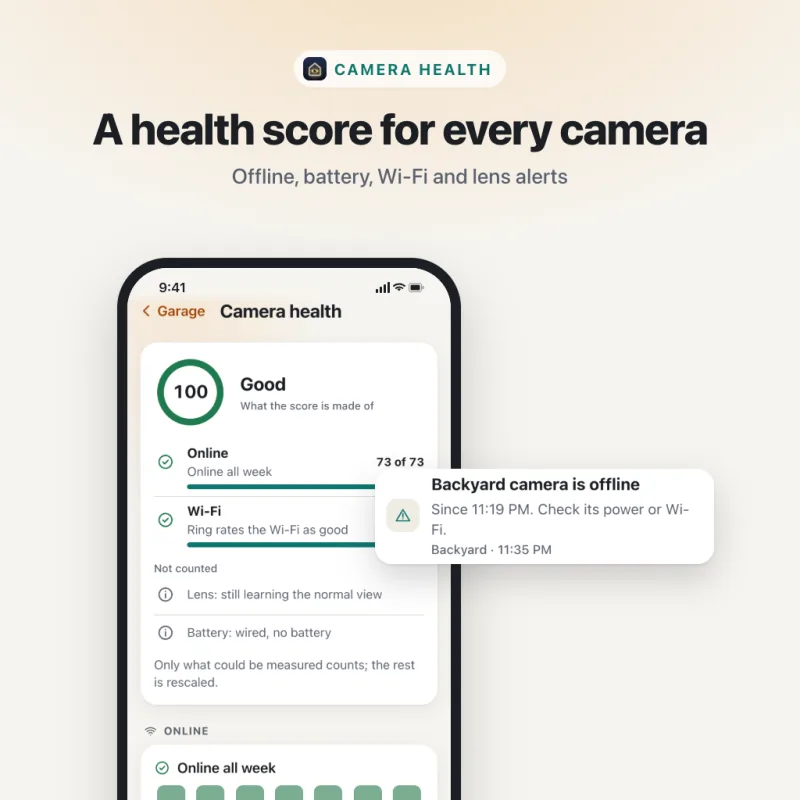
A health score for every camera. Know when one goes offline, a battery is draining fast, the Wi-Fi is weak or the lens looks blocked.
The Health Score: Camera HealthOffline Alerts: Camera Health
-
Delivery Diary
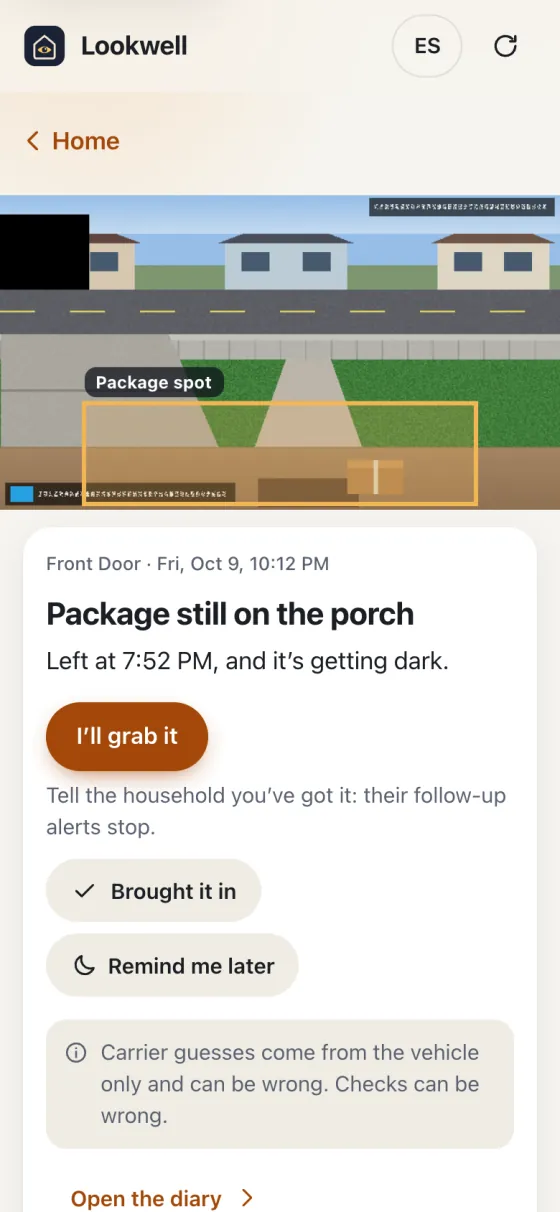
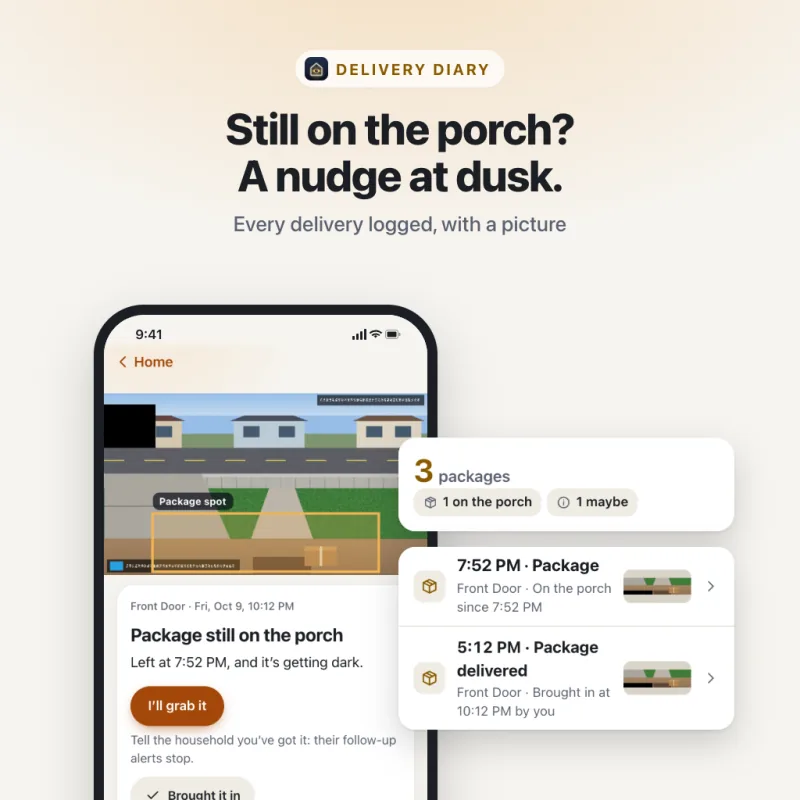
Every delivery logged with the time and a picture of the box. Still on the porch as it gets dark? A nudge.
Package Reminders: Delivery DiaryThe Delivery Log: Delivery Diary
-
Spot Checks
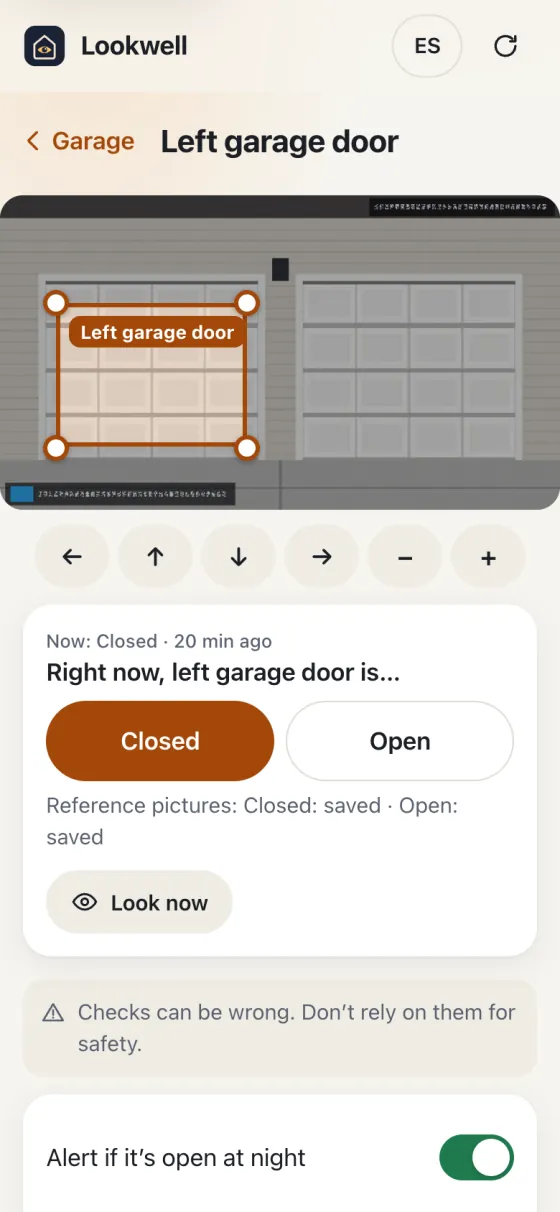
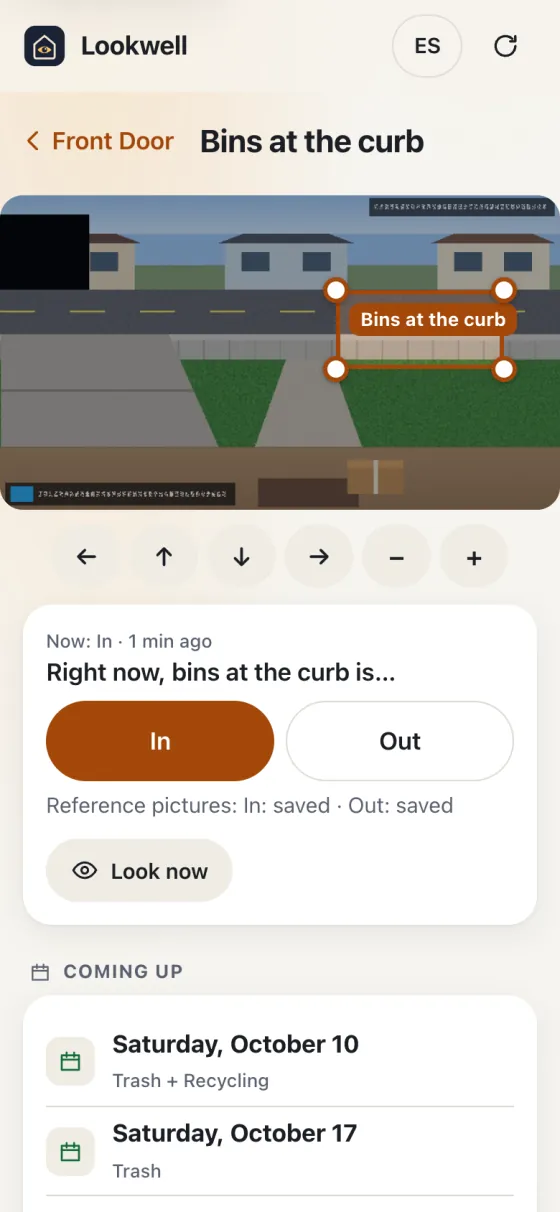
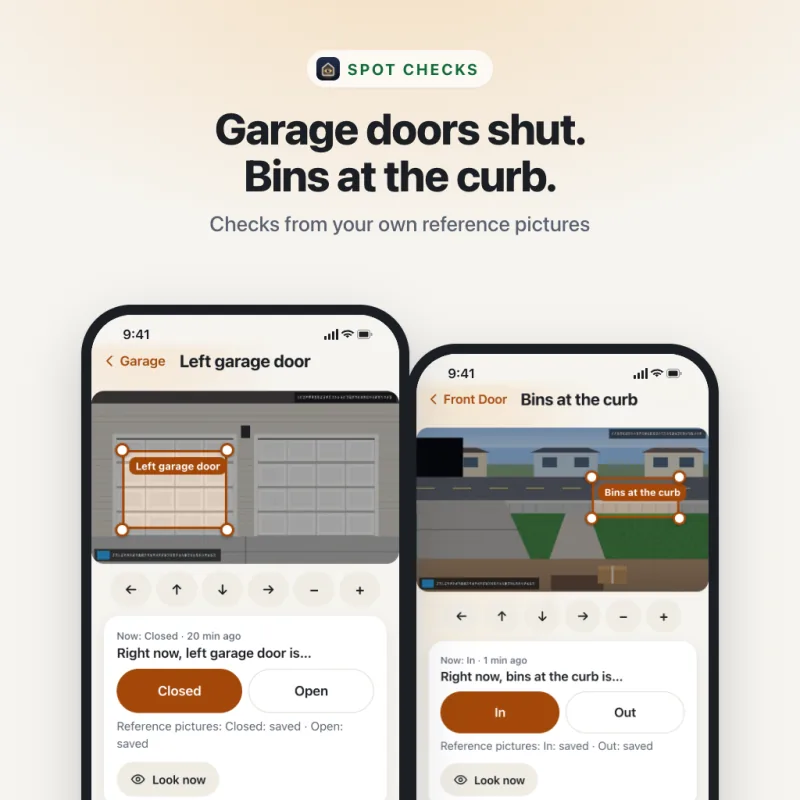
Garage door shut, trash bins at the curb, driveway clear. Checked against your own reference pictures, and it asks when it isn’t sure.
-
Trash Bins on Pickup Night
A reminder on pickup eve if the trash bins aren’t out, with holiday shifts, your town’s pickup calendar and a wind warning.
-
Porch Light
A look after sunrise and after dark. Left on in daylight, or off at night? One gentle push. It measures brightness only.
-
Doorbell Stats
Rings and visits at the door, the busiest hours, and when someone rang more than once.
-
Trick-or-Treat Counter
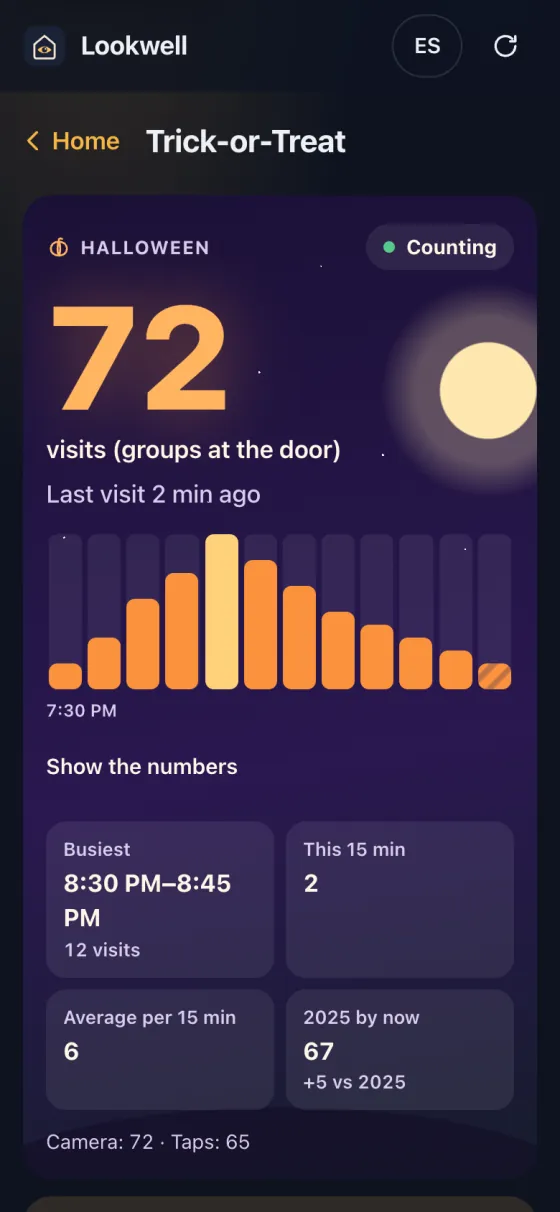
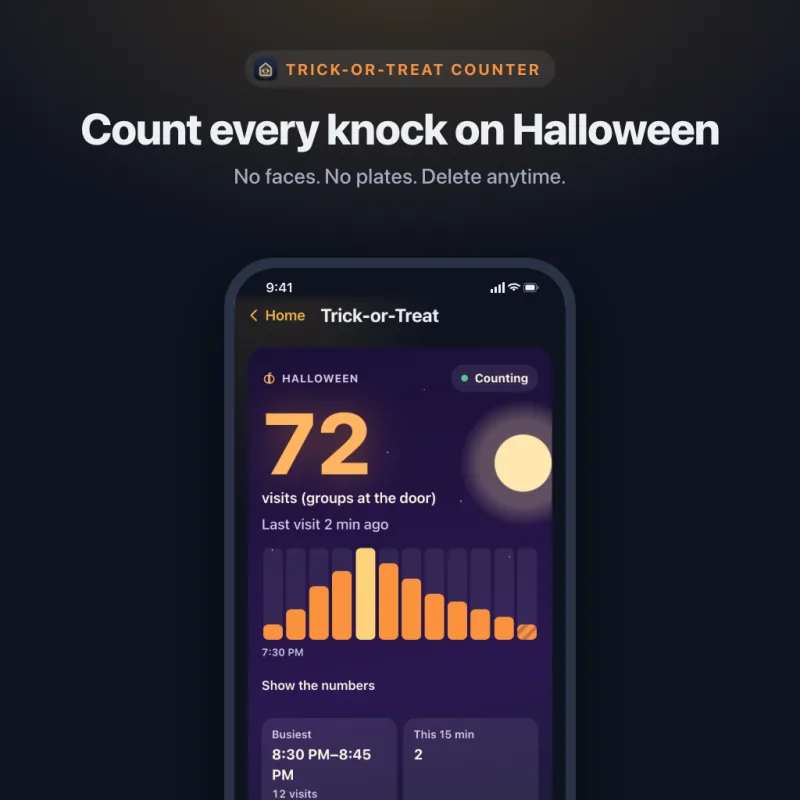
Counts visits at the door on Halloween from doorbell presses and motion, with a +1 button. Counts only, no pictures.
-
Your Household
Invite up to six people. Each one picks their own alerts, quiet hours and language. “I’ll handle it” tells the rest.
-
Calm Notifications
Alerts that arrive together come as one push, and quiet hours hold the rest until morning. Or one email a day, plus a short weekly report.
A Closer Look
Made to Be Glanced At
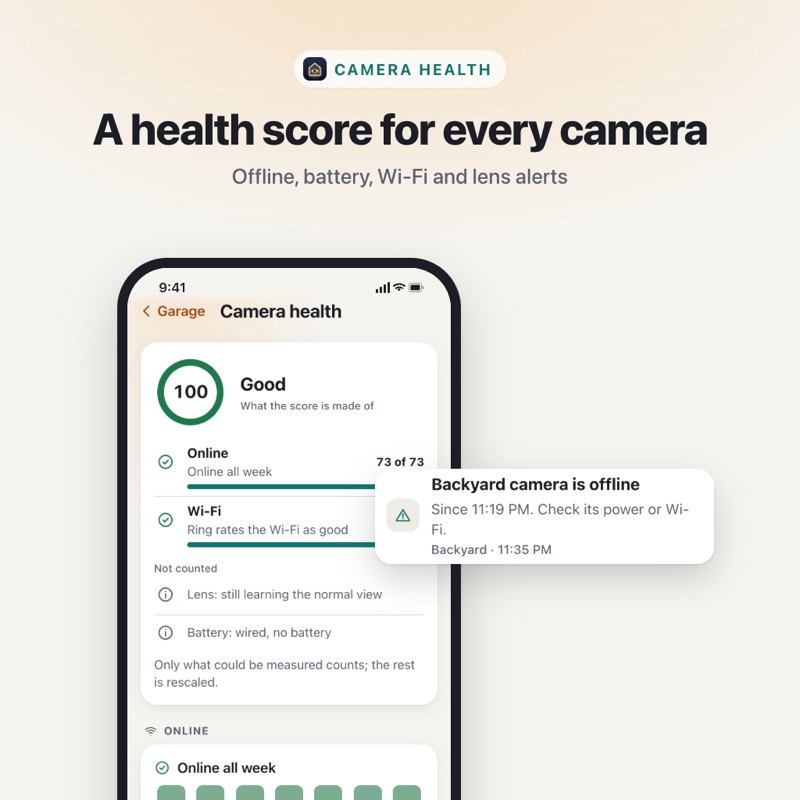
A Health Score for Every CameraOffline, battery, Wi-Fi and lens alerts 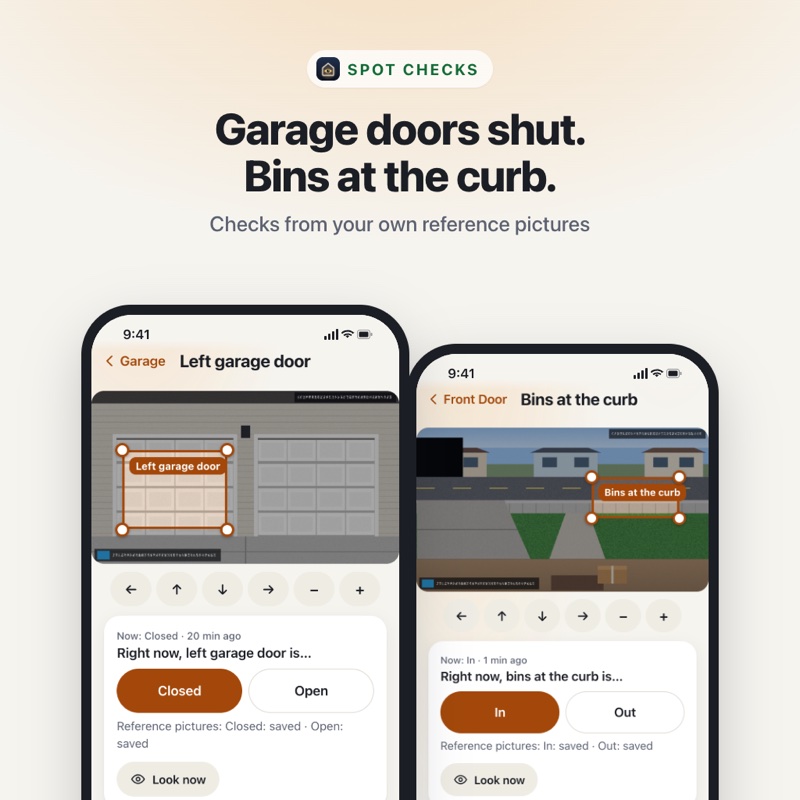
Garage Doors Shut. Trash Bins at the Curb.Checks from your own reference pictures 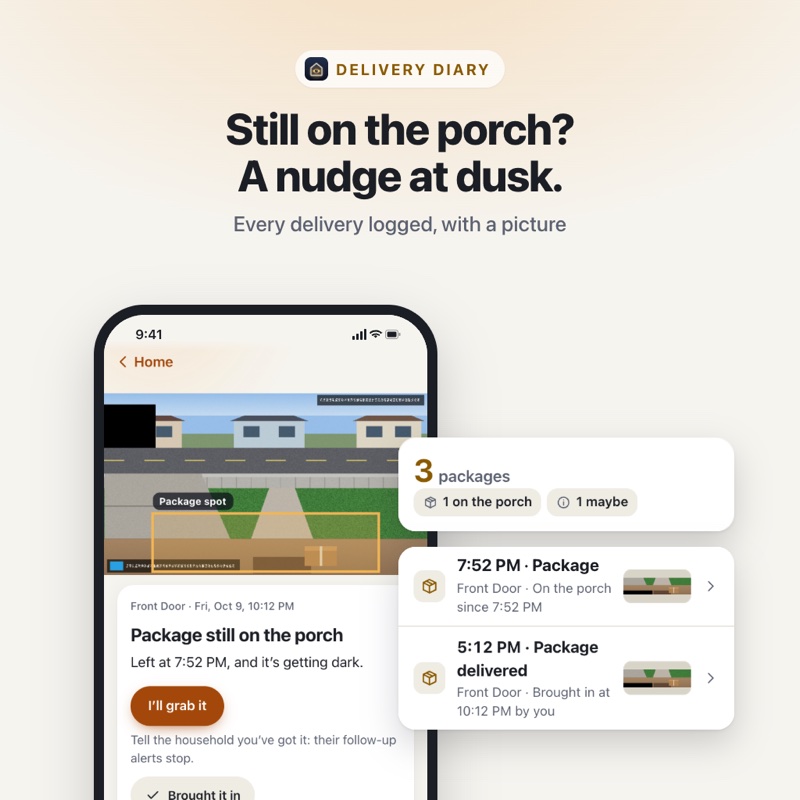
Still on the Porch? A Nudge at Dusk.Every delivery logged, with a picture 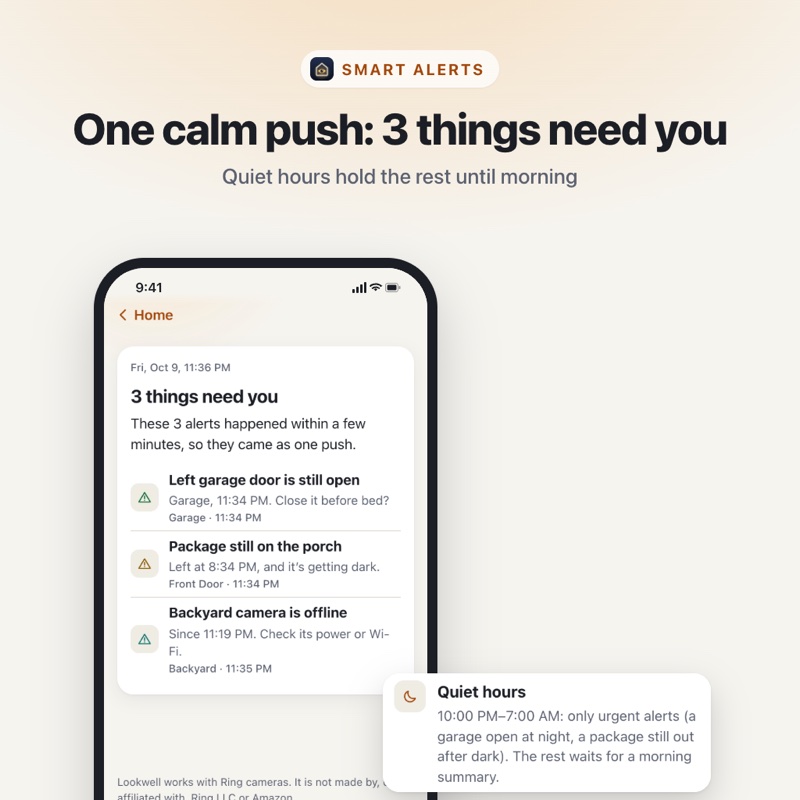
One Calm Push: 3 Things Need YouQuiet hours hold the rest until morning 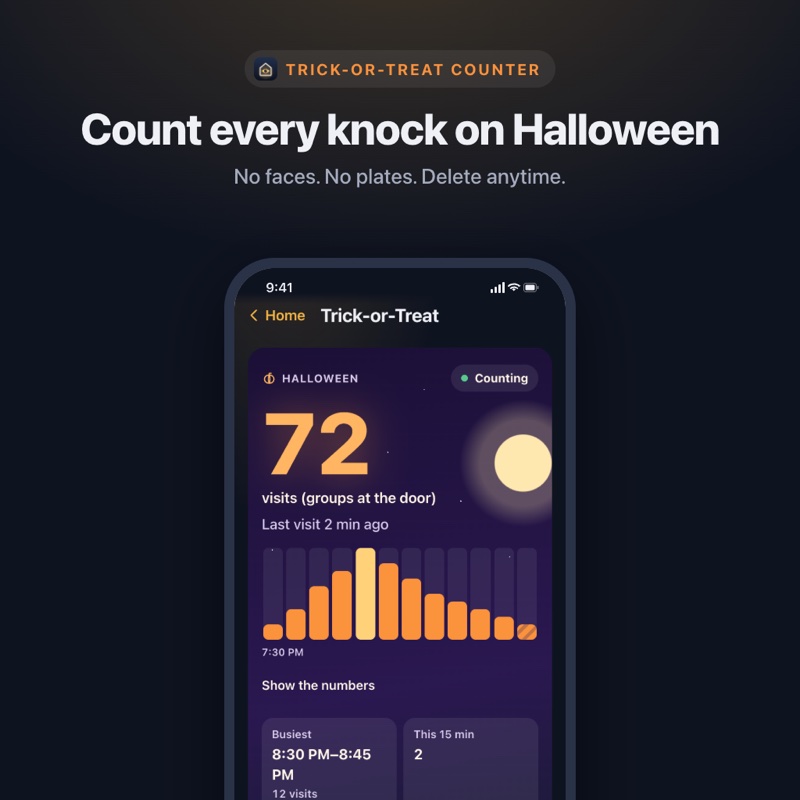
Count Every Knock on HalloweenNo faces. No plates. Delete anytime.

How It Works
Set Up in a Few Minutes
Add Lookwell in the Ring App
Find Lookwell in the Ring Appstore and choose the cameras it can use. No password to remember.
Turn On Snapshot Capture
Required: Lookwell sees your home through Ring’s snapshots. For each camera: Ring app → Devices → the camera → Device Settings → Snapshot Capture → On, every 1–3 minutes if offered.
Show It What Matters
Lookwell suggests spots from each camera’s view. Draw a box around the trash bins or the garage door and save a picture of each state. A setup check shows what’s ready.
Get a Nudge When It Counts
When something needs you: one calm push, or one email a day. Tap “I’ll handle it” and the rest of the household is spared.
Privacy
It Looks at Places, Never at People
Lookwell asks narrow questions about a spot you chose: is the garage door open, is a box on the porch. That’s all it looks for.
Checks can be wrong, so don’t rely on Lookwell for safety: it isn’t a security system. Read the Privacy Notice
No Faces
No face recognition and no identifying anyone. The AI is told not to describe people.
No Plates
Lookwell never reads license plates. The driveway check only asks whether a vehicle is there.
You Choose What’s Kept
Pictures are checked in memory and discarded. Only what you choose is kept: the reference pictures you save, and a delivery photo for 30 days when no one is in it.
Delete Anytime
One button deletes everything, or one feature’s data. Removed in the Ring app, your settings wait 30 days in case you come back, then they’re deleted.
Pricing
One Plan. Everything Included.
No tiers, no add-ons, no ads. Try every feature for 14 days, then decide.
14 Days Free
$3.99 / month
per home, after the free trial
- Every feature included
- Up to six people in your household
- Billed through your Ring account
- The trial doesn’t turn into a paid plan by itself
- Cancel anytime in the Ring app
Includes Camera Health, the Delivery Diary, Spot Checks, Porch Light, Doorbell Stats, the Trick-or-Treat Counter and the weekly report.
FAQ
Questions, Answered
What Do I Need?
Ring cameras or video doorbells, the Ring app, and Snapshot Capture turned on for each camera. Lookwell sees your home through those snapshots: without them, Spot Checks, Delivery Diary, Porch Light, Car Log and the lens check in Camera Health get no pictures and can’t work.
To turn it on: Ring app → Devices → the camera → Device Settings → Snapshot Capture → On, every 1–3 minutes if your camera offers it. Picture checks also need end-to-end encryption off on that camera.
What Is Snapshot Capture, and Do I Need It?
Yes. Snapshot Capture is a Ring setting that has a camera take a still picture every few minutes. Ring doesn’t take pictures on request, so Lookwell reads the newest snapshot Ring already has. With Snapshot Capture off there is nothing to read, and every picture check and its alerts stop working.
Turn it on: Ring app → Devices → the camera → Device Settings → Snapshot Capture → On. Every 1–3 minutes gives the quickest checks, if your camera offers it; every 30 minutes still works, more slowly. On battery cameras, more frequent snapshots use more battery. The setup guide shows each camera’s status.
Does It Work with End-to-End Encrypted Cameras?
Partly. With end-to-end encryption on, Ring can’t share a camera’s pictures with apps, so the picture checks can’t run on that camera. Offline and battery alerts, Doorbell Stats and the Trick-or-Treat Counter still work. Whether to use encryption is your choice.
Which Ring Devices Work?
Ring video doorbells and cameras that you share with Lookwell when you add it. The picture checks need Snapshot Capture; Doorbell Stats need a doorbell. Lookwell doesn’t use alarm sensors or chimes.
How Much Does It Cost?
$3.99 a month after a 14-day free trial. That’s one plan with every feature, for up to six people in your household; there’s no free tier and nothing extra to buy. Ring handles the billing, so you start, manage and cancel the plan in the Ring app.
The plan covers the cameras at one home (one Ring location). A second home has its own plan.
How Does the Free Trial Work?
You get 14 days with every feature. The trial doesn’t turn into a paid plan by itself: to keep going, start the $3.99 monthly plan in the Ring app.
Can I Choose Which Cameras It Uses?
Yes. When you add Lookwell in the Ring app, you choose the cameras it can use. In Lookwell, you turn each feature on or off for each camera.
How Do I Cancel?
In the Ring app: My Apps → Lookwell. Billing is handled by Ring, and Lookwell keeps working until the end of the month you’ve paid for.
What Happens to My Data?
Lookwell keeps what it needs to work: camera names and status, event times (30 days), counts, and the reference pictures you save. Pictures are checked and discarded.
Delete one feature’s data or everything from More → Privacy in the app; if you remove Lookwell in the Ring app, your settings and history are kept 30 days in case you reconnect, then deleted. Details are in the privacy notice.
Is Lookwell a Security System?
No. It looks after everyday things, and checks can be wrong. Don’t rely on it for safety or emergencies.
Is Lookwell Made by Ring?
No. Lookwell works with Ring cameras. It is not made by, or affiliated with, Ring LLC or Amazon.
See It with a Sample Home
The demo home has three cameras and a week of sample data. No account, nothing to install.