 Lookwell
Trash Night? Lookwell Checks That the Trash Bins Are Out.
On the evening before pickup, Lookwell looks at the curb with your Ring camera. Trash bins out: nothing to do. Not out yet: a reminder, in time.
Every feature is included: 14-day free trial, then $3.99 a month, billed by Ring.
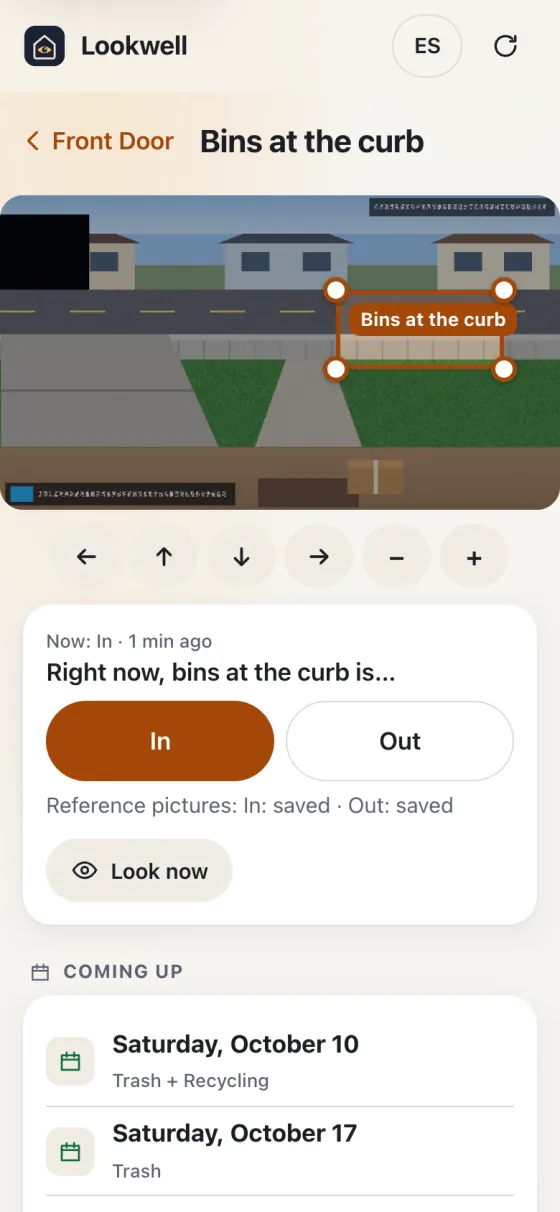
Trash Bins at the Curb on Pickup Night
How It Works
How the Trash Night Check Works
Tell it your pickup days (trash and recycling, weekly or every other week), or add your town’s pickup calendar link. US federal holidays shift the day for you, if your town does that.
Mark the spot at the curb where the trash bins go, and save a picture with them out and one without.
On pickup eve it looks in the evening. Not out yet? A reminder. “I’ll take them out” tells the rest of the household.
Windy night ahead? The reminder says so, from the National Weather Service forecast for your area (your ZIP code, or a location rounded to about 1 km).
After pickup, it notices when the trash bins are likely emptied, and keeps your on-time streak.
What You Need
- A Ring camera that sees the curb where the trash bins go
- Snapshot Capture turned on for that camera (required: Ring app → Devices → the camera → Device Settings → Snapshot Capture)
- End-to-end encryption off for that camera
Good to Know
- A dark or blocked view (a parked car, say) is reported as “couldn’t tell”, not as a guess.
- The wind line uses the weather.gov forecast, so it covers US addresses.
- Checks can be wrong; the reminder is a nudge, not a promise.
See It with a Sample Home
The demo home has three cameras and a week of sample data. No account, nothing to install.